
GateZ1.8 - Google Play
You'll be able to see results in few seconds.
Publisher Description


Forget about manually dialing your gate, we will do it for you before you arrive
No more wasting time and touching your phone while driving, with GateZ your call based gate will open for you like a charm the moment you approach it.
After a very short setup you will no longer have to call the gate yourself, instead we will do it for you.
The setup includes 3-steps:
1. Set the gate phone number.
2. Set the gate closing hours (from when and until when it is closed).
3. Mark the gate location (either on map or by standing next to it and using current location).
Thats it! The next time you will approach the gate GateZ will automatically call the gate for you so by the time you arrive it will be wide open for you, like a magic!
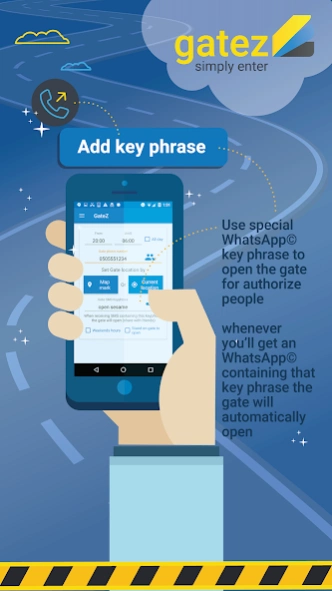
Gatez also allows you to pre-define a special key phrase that upon receiving an WhatsApp message containing that key phrase, GateZ will automatically prompt you to open the gate. It is up to you to share that key phrase with the correct friends.
More then that you can create your own favourite friends list, that upon receiving the sms from them the gate will automatically open without the need of manual confirmation.
In order for GateZ to work you must enable Location services in your phone but don't worry about the power consumption, GateZ only use your location while you are driving the car and the greater the distance between you and the gate the less location we use.
More then that, GateZ can also detect driving upon connecting to your car Bluetooth hands-free device. This is recommended since it is more precise and energy saver.
Attention Xiaomi users: in order for the app to work please allow it the AutoStart option in the privacy settings.
About GateZ
The company that develops GateZ is Eran Katsav. The latest version released by its developer is 1.8.
To install GateZ on your Android device, just click the green Continue To App button above to start the installation process. The app is listed on our website since 2020-01-20 and was downloaded 0 times. We have already checked if the download link is safe, however for your own protection we recommend that you scan the downloaded app with your antivirus. Your antivirus may detect the GateZ as malware as malware if the download link to com.pzlapps.gatez is broken.
How to install GateZ on your Android device:
- Click on the Continue To App button on our website. This will redirect you to Google Play.
- Once the GateZ is shown in the Google Play listing of your Android device, you can start its download and installation. Tap on the Install button located below the search bar and to the right of the app icon.
- A pop-up window with the permissions required by GateZ will be shown. Click on Accept to continue the process.
- GateZ will be downloaded onto your device, displaying a progress. Once the download completes, the installation will start and you'll get a notification after the installation is finished.
Program Details
System requirements
Download information
Pricing
Version History
version 1.8
posted on 2020-01-20
Android 10 update
Disclaimer
Official Google Play Link
We do not host GateZ on our servers. We did not scan it for viruses, adware, spyware or other type of malware. This app is hosted by Google and passed their terms and conditions to be listed there. We recommend caution when installing it.
The Google Play link for GateZ is provided to you by apps112.com without any warranties, representations or guarantees of any kind, so access it at your own risk.
If you have questions regarding this particular app contact the publisher directly. For questions about the functionalities of apps112.com contact us.
